What TechDashers sends by text message and automated call, how people opt in, and how to stop at any time.
What we send
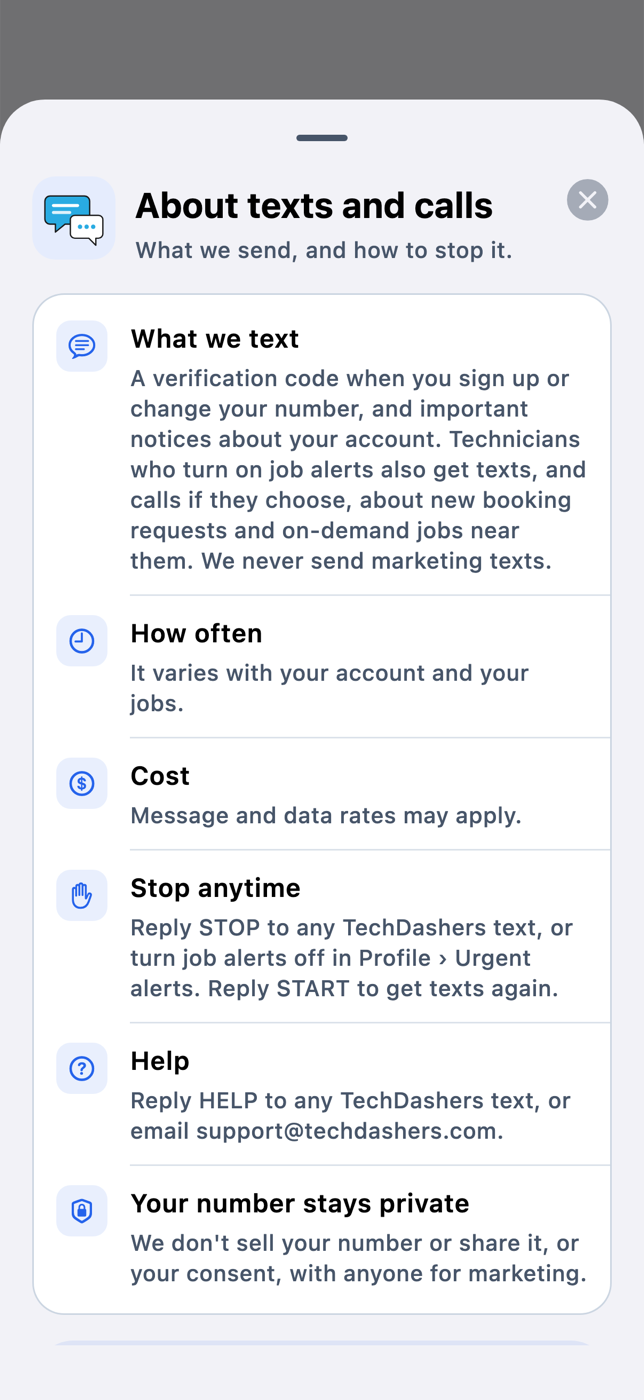
Verification codes. A one-time code when you sign up or change your mobile number (by text, or read in an automated call if you tap "Call me instead").
Account notices. Important messages about your account and security.
Job alerts, only if you opt in. Technicians and TechDashers staff can choose texts, and automated calls, about new booking requests, on-demand jobs near them, a booking about to expire, a client cancelling a job they're heading to, an approved quote, and an optional morning summary. An alert never accepts a job for you.
We never send marketing texts.
How you opt in
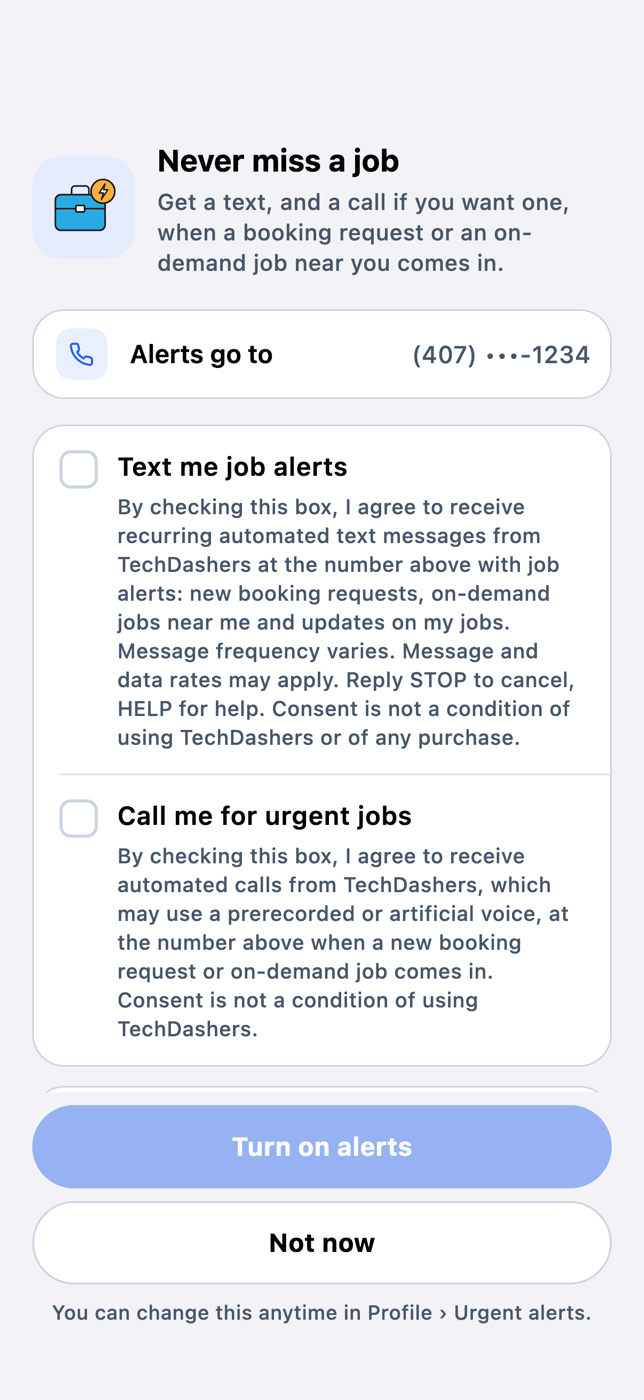
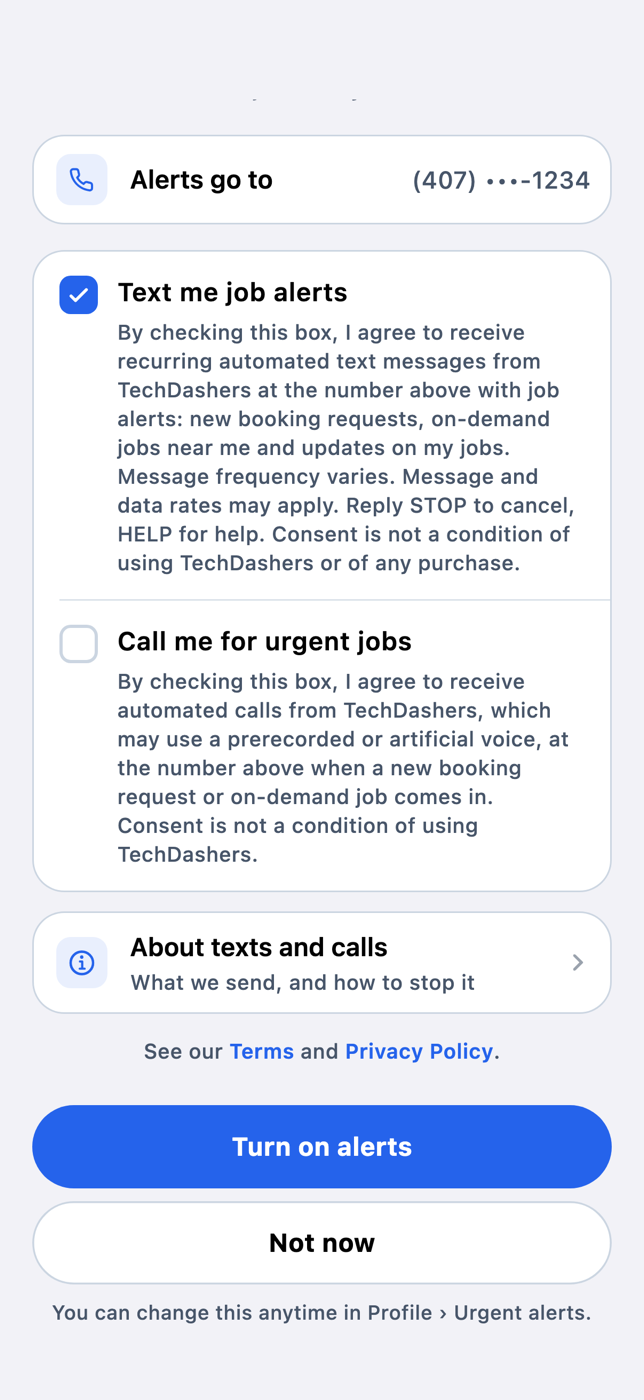
Job alerts are turned on in the TechDashers app (iPhone and Android). After a technician verifies their mobile number with a one-time code, the app asks whether they want job alerts; they can also turn them on or off at any time in Profile › Urgent alerts. Texts and calls each have their own box. Both start unchecked, and the full consent wording is shown next to each box:
Text me job alerts. By checking this box, I agree to receive recurring automated text messages from TechDashers at the number above with job alerts: new booking requests, on-demand jobs near me and updates on my jobs. Message frequency varies. Message and data rates may apply. Reply STOP to cancel, HELP for help. Consent is not a condition of using TechDashers or of any purchase.
Call me for urgent jobs. By checking this box, I agree to receive automated calls from TechDashers, which may use a prerecorded or artificial voice, at the number above when a new booking request or on-demand job comes in. Consent is not a condition of using TechDashers.
Nothing is sent until a box is checked and "Turn on alerts" is tapped. "Not now" skips without opting in. We keep a record of the wording each person agreed to and when.
1. The opt-in screen: both boxes unchecked.2. Text alerts checked, with links to the Terms and Privacy Policy.3. "About texts and calls", available to every user in the app.
How often, cost, and stopping
How often: message frequency varies with your account and your jobs.
Cost: message and data rates may apply.
Stop: reply STOP to any TechDashers text, or turn job alerts off in Profile › Urgent alerts. Reply START to get texts again.
Carriers are not liable for delayed or undelivered messages.
Sample messages
Verification code
Your TechDashers verification code is: 123456
Opt-in confirmation
TechDashers: You're signed up for job alerts. Msg frequency varies. Msg & data rates may apply. Reply HELP for help, STOP to cancel.
Booking request
TechDashers: New booking request, Thu 9:00 AM, MacBook repair in Orlando. Open the app to respond. Reply STOP to opt out.
On-demand job
TechDashers: New on-demand job near you: laptop repair in Orlando. Open the app to claim it. Reply STOP to opt out.
HELP reply
TechDashers: For help email support@techdashers.com. Reply STOP to opt out. Msg & data rates may apply.
STOP reply
TechDashers: You're unsubscribed and won't get more texts. Reply START to resubscribe.
Your privacy
We do not sell, rent, or share mobile phone numbers or text-message opt-in data and consent with third parties or affiliates for their marketing or promotional purposes. Full terms:Terms of Service (section 3(g)) andPrivacy Policy (sections 6(h) and 15(f)).